
Download Yale – CPU Monitor, Bandwidth Monitor, Disk Usage, Real-Time System Monitoring, Lightweight System Tool
Overview
Yale is a lightweight system monitoring tool designed for Windows users seeking real-time insights into their computer’s core performance metrics. The application focuses on three critical system indicators: CPU consumption, network bandwidth usage, and hard disk status. Unlike many resource-heavy monitoring tools, Yale operates without requiring installation—users simply run the executable file to begin monitoring. This makes it ideal for quick diagnostics, troubleshooting performance issues, or assessing system behavior during specific tasks such as software installation, file transfers, or running resource-intensive programs.
Target users include casual computer users who suspect their system is slowing down, developers testing application performance, and IT professionals conducting on-the-fly diagnostics. The tool is particularly useful in scenarios where immediate feedback is needed without the overhead of a full system monitoring suite. Although the developer, Jason A. Bilbrey, is listed, no additional background information about the developer’s technical or software development history was provided.
Yale fills a niche in the system tools category by offering a minimalist, no-frills approach to real-time monitoring. It does not aim to replace comprehensive monitoring platforms but serves as a fast, accessible utility for momentary system checks. Its presence in the ecosystem underscores a growing demand for lightweight, efficient tools that prioritize speed and simplicity over feature overload.
Key Features & Functionality
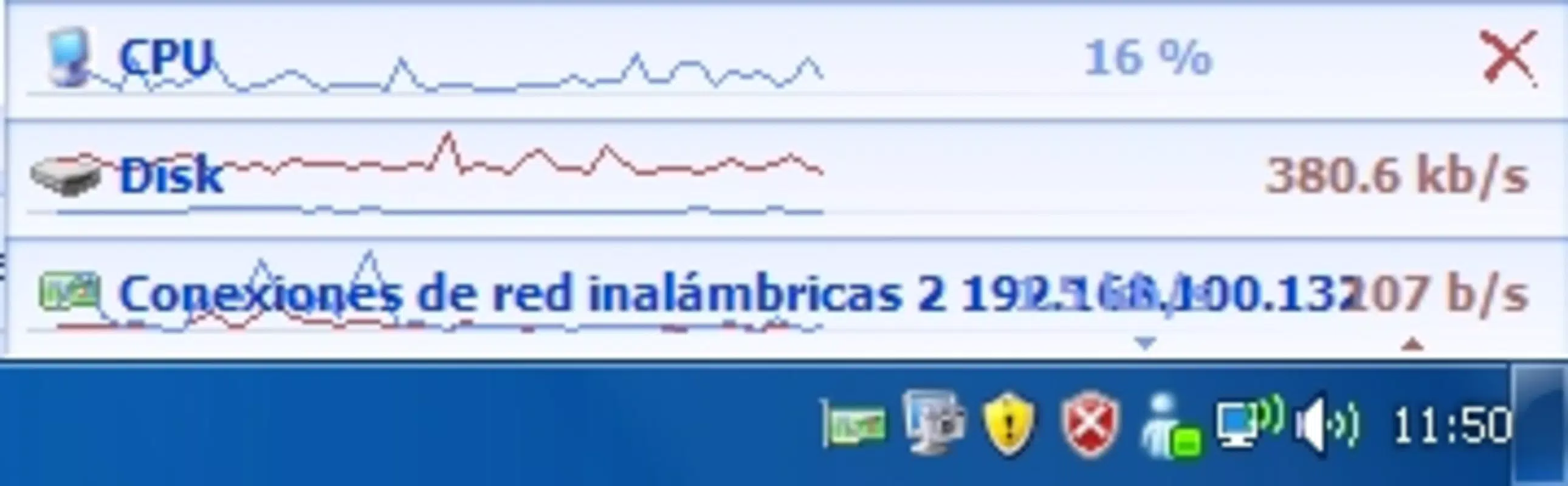
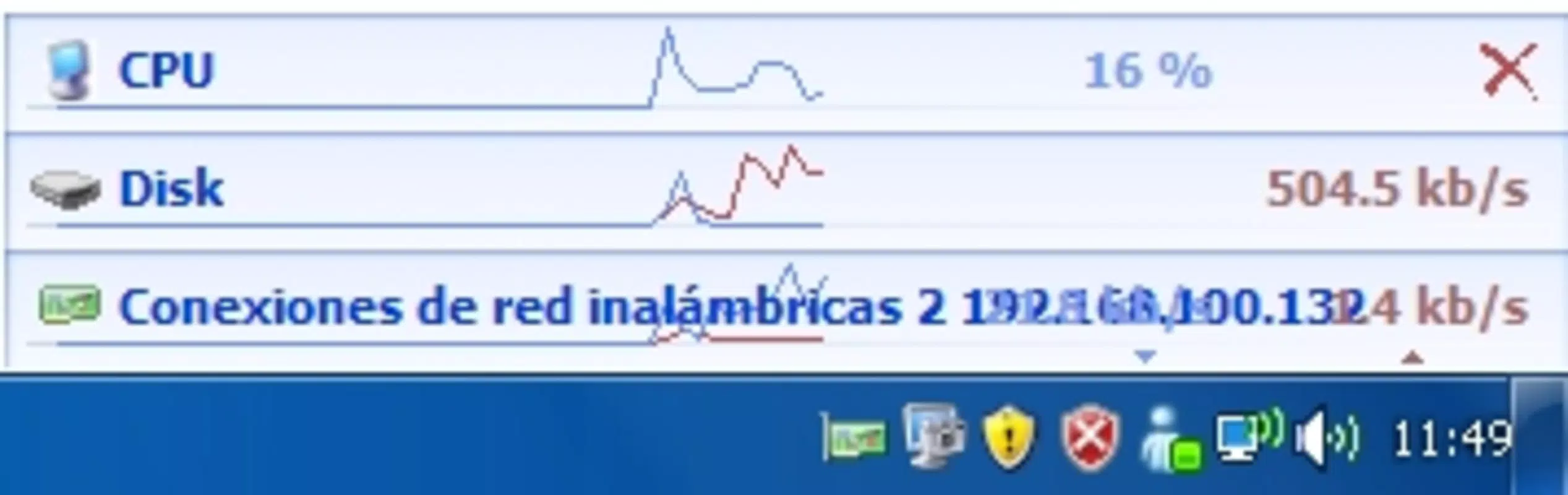
- Real-Time CPU Monitoring – Displays current CPU usage in real time, allowing users to identify spikes or sustained high usage that may indicate background processes or performance bottlenecks.
- Bandwidth Usage Tracking – Monitors incoming and outgoing network traffic, helping users detect unexpected data consumption or identify applications consuming excessive bandwidth.
- Hard Disk Status Overview – Provides immediate visibility into disk activity, including read/write operations and usage levels, useful for diagnosing storage-related slowdowns.
- Portable Operation – No installation required; the tool runs directly from the executable file, making it easy to use on multiple systems or from portable storage devices.
- Low Resource Footprint – Designed to consume minimal system resources, ensuring it does not interfere with the performance it is monitoring.
For example, a user running a large file transfer can launch Yale to monitor disk and network activity simultaneously, ensuring the system isn’t being overburdened. Similarly, a developer testing a new application can use Yale to observe how the program impacts CPU and bandwidth usage in real time. The tool’s simplicity ensures that even non-technical users can interpret the data without confusion.
Interface, UX & Performance
Yale features a minimalistic user interface that prioritizes clarity and functionality. The layout is clean and uncluttered, with each system metric displayed in a straightforward format—likely using simple text or small graphical indicators. Navigation is intuitive, as the application starts immediately upon execution with no setup steps or configuration required.
Given its lightweight nature and the absence of installation, the user experience is streamlined for immediate use. The interface is likely optimized for quick scanning, with real-time updates presented in a way that allows users to grasp system status at a glance. Although the developer did not list formal performance metrics, the tool’s small file size (1.4 MB) and portable design suggest efficient operation across a range of Windows devices.
Performance is expected to be stable and responsive, especially on modern systems. The lack of background services or persistent processes reduces the risk of crashes or memory leaks. However, specific compatibility details across older or low-end Windows systems were not disclosed. Users should expect consistent behavior on standard desktop and laptop configurations, but no guarantees are provided for edge cases.
Platform Compatibility & Technical Requirements
Yale is designed for the Windows operating system. The current version is 1.0.0, with a file size of 1.4 MB. The developer did not specify minimum OS requirements, nor did they list compatibility with specific Windows versions such as Windows 10, 11, or older editions.
Given its lightweight design and lack of installation, Yale is likely compatible with most modern Windows systems. However, users should verify system compatibility before running the executable, especially on older or specialized environments. No additional software dependencies were mentioned, which simplifies deployment and reduces the risk of installation failures.
Pros and Cons
Pros
- Lightweight and fast to launch with no installation required
- Real-time monitoring of CPU, bandwidth, and disk usage
- Minimal system resource consumption
- Simple, intuitive interface suitable for all user levels
- Free to download and use
Cons
- No detailed historical data or logging features
- Developer did not provide information on minimum OS requirements
- Limited to real-time viewing—no alerts or notifications
- Does not support multiple system monitoring across networked devices
- Platform is restricted to Windows only
FAQ
Is Yale safe to download and use?
Yes, Yale is a free, lightweight tool developed by Jason A. Bilbrey. It does not require installation and runs as a standalone executable. As with any third-party tool, users should ensure they download it from a trusted source to maintain security.
Can I use Yale on older versions of Windows?
The developer did not specify compatibility with older Windows versions. While the tool’s small size and portable nature suggest broad compatibility, users should test it on their system to confirm functionality.
Does Yale require admin rights to run?
Specific permissions were not listed. However, since Yale monitors system performance without modifying system settings, it likely operates without requiring elevated privileges.
Is Yale available for macOS or Linux?
No. Yale is currently designed exclusively for Windows. There is no information indicating future support for other operating systems.
Can I track system performance over time with Yale?
Yale provides real-time monitoring only. It does not save historical data or generate logs. For long-term tracking, users would need to use a different tool or manually record readings.
Final Thoughts
Yale stands out as a focused, efficient solution for users who need immediate visibility into their system’s performance. Its ability to deliver real-time CPU, bandwidth, and disk usage data without installation makes it a valuable tool for troubleshooting, testing, and monitoring. While it lacks advanced features like logging or alerts, its simplicity is its strength—offering a no-hassle experience for quick diagnostics.
For casual users, developers, and IT professionals seeking a lightweight utility to assess system behavior on the fly, Yale delivers clear value. Its free availability and minimal footprint further enhance its appeal. If you’re looking for a dependable, portable system monitor for Windows, this tool is worth trying.
Download Yale now


